1. Send me your Google Ads account number
The number is located in the top right corner of Google Ads. It looks something like this:
"123-456-7890"
Simply copy this number and send it to me.
"123-456-7890"
Simply copy this number and send it to me.
2. I will send an access request
After that, I will send an access request from my Google Ads manager account and let you know when it has been sent.
3. Confirm the request in Google Ads
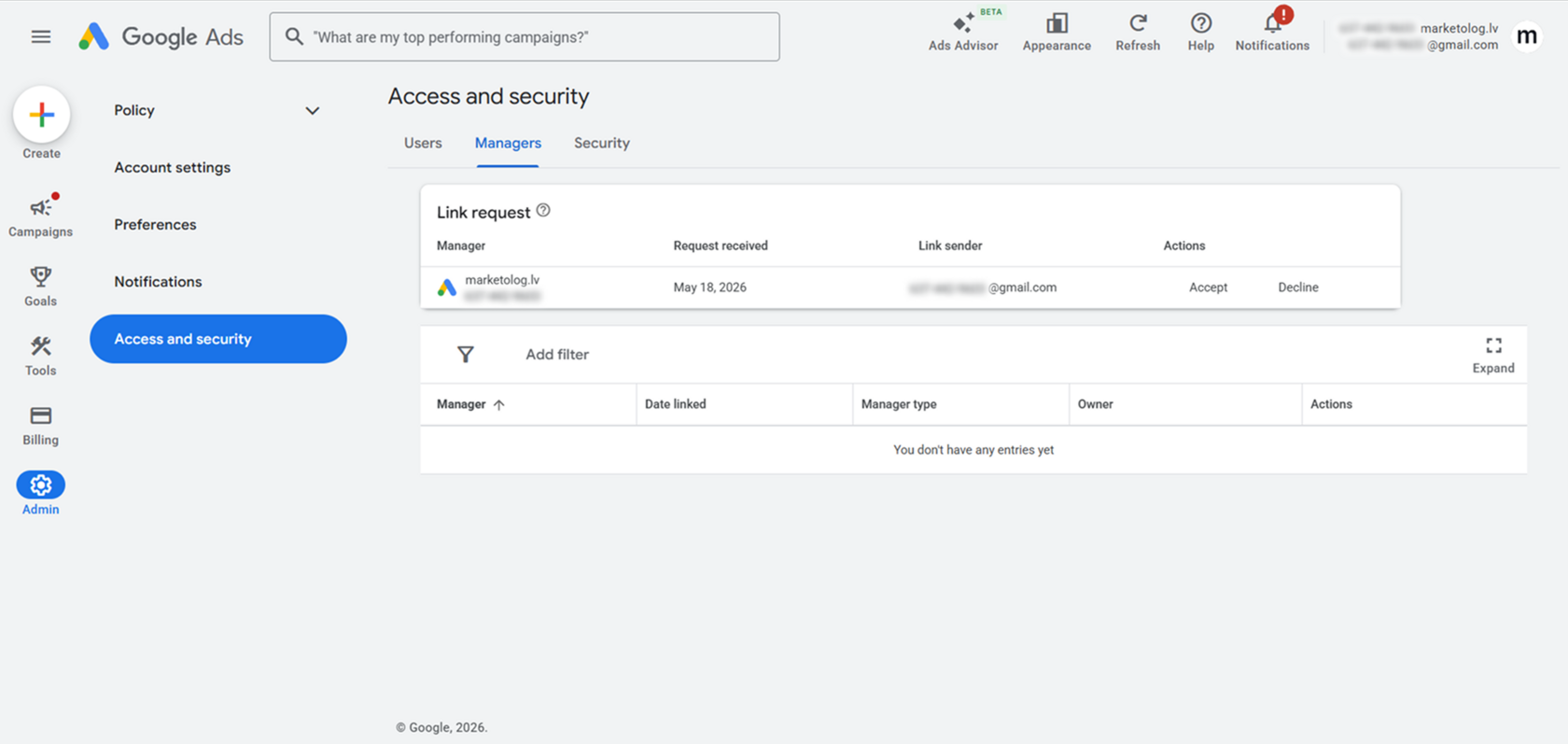
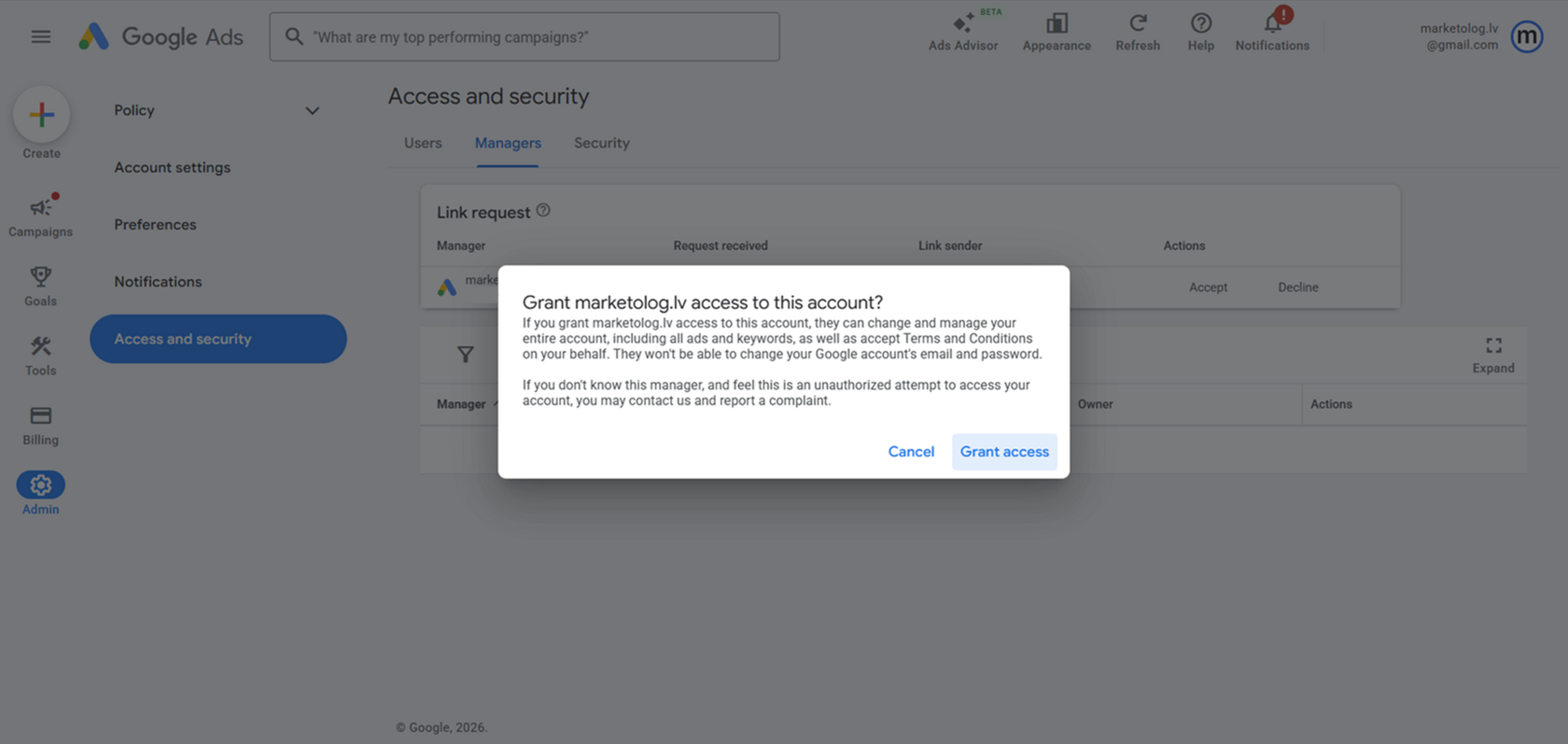
Open Google Ads and go to:
Admin - Access and security
Then find the section with link requests or manager accounts. It may be called "Managers", "Link request" or something similar.
You should see my request to connect the manager account. Confirm it by following the steps shown by Google Ads.
In some cases, Google may also ask you to confirm the action with a code sent to your phone.
After confirmation, I will get access to your advertising account and will be able to start working.
Important
I do not need the password to your Google account. You simply give access through the official Google Ads system.
The manager account will be able to work with your advertising account: campaigns, ads, keywords, and settings. At the same time, it will not be able to change the email address or password of your Google account.
Admin - Access and security
Then find the section with link requests or manager accounts. It may be called "Managers", "Link request" or something similar.
You should see my request to connect the manager account. Confirm it by following the steps shown by Google Ads.
In some cases, Google may also ask you to confirm the action with a code sent to your phone.
After confirmation, I will get access to your advertising account and will be able to start working.
Important
I do not need the password to your Google account. You simply give access through the official Google Ads system.
The manager account will be able to work with your advertising account: campaigns, ads, keywords, and settings. At the same time, it will not be able to change the email address or password of your Google account.
How to remove access
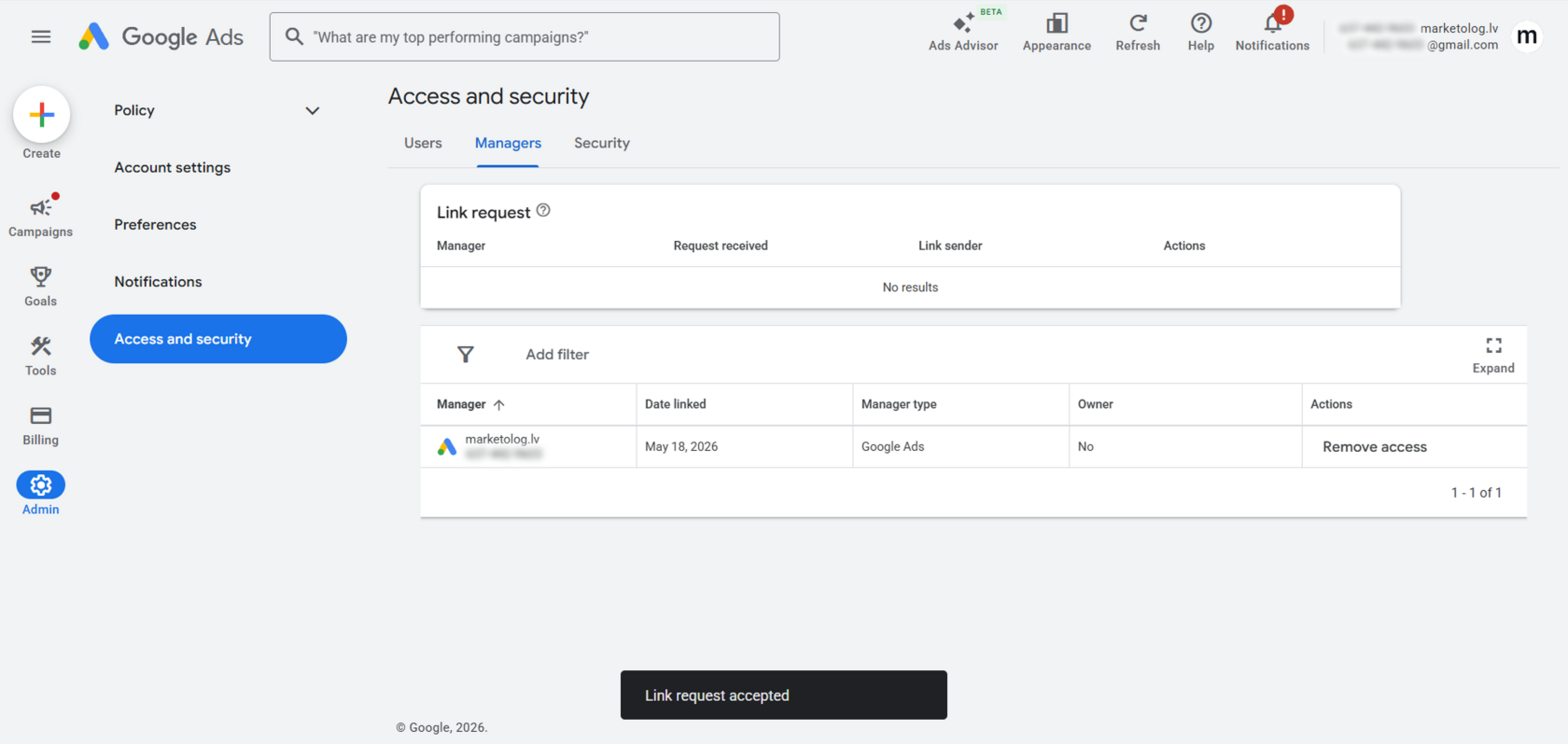
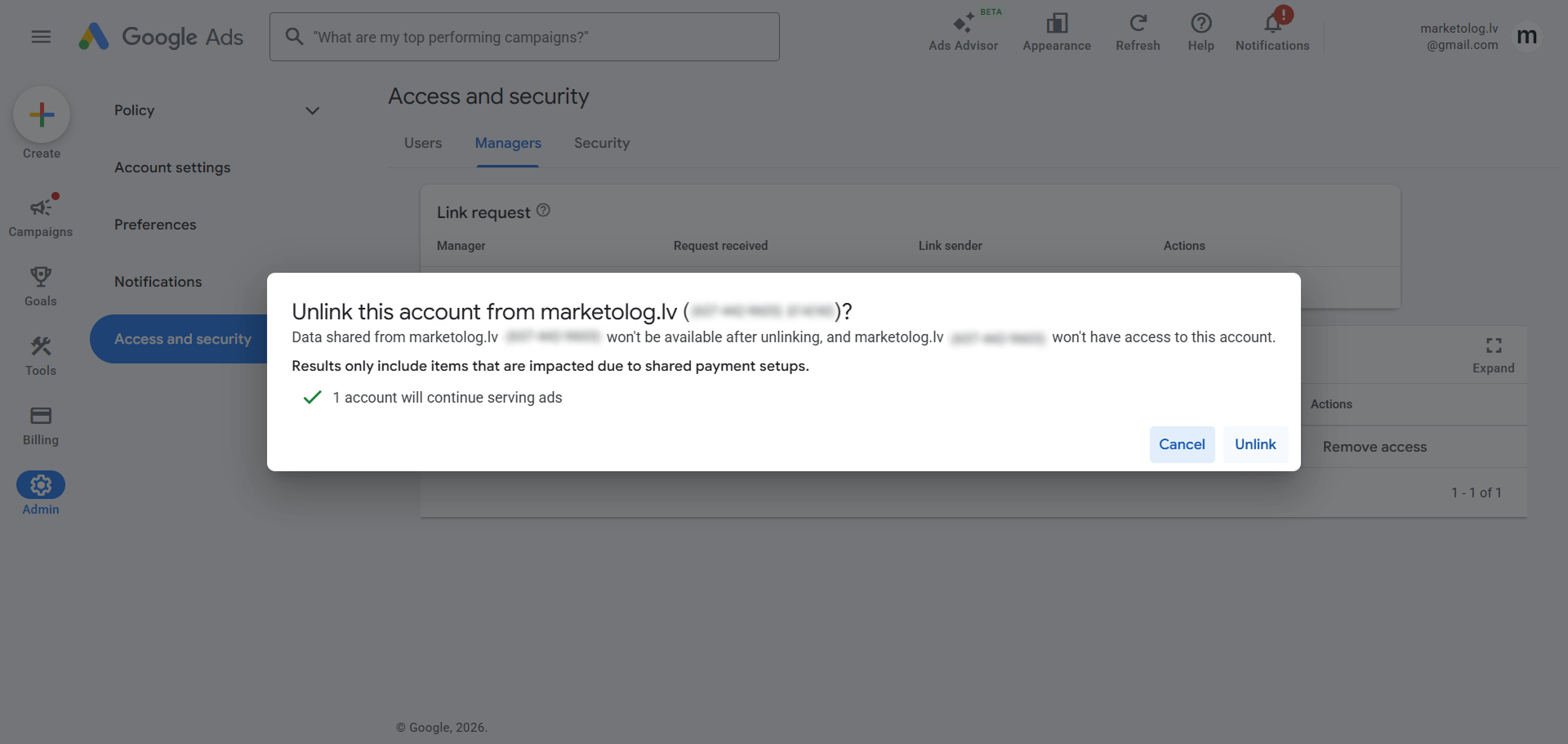
Access can be removed at any time.
To do this, open:
Admin - Access and security - Managers
In the list of manager accounts, find the needed account and click "Remove access".
After that, Google will show a confirmation window. Click "Unlink".
After unlinking, the manager account will no longer have access to your Google Ads account.
To do this, open:
Admin - Access and security - Managers
In the list of manager accounts, find the needed account and click "Remove access".
After that, Google will show a confirmation window. Click "Unlink".
After unlinking, the manager account will no longer have access to your Google Ads account.