If I need to help with your Google Business Profile, for example, connect it to your Google Ads advertising, you can grant access through the official Google Business Profile mechanism.
I do not need your Google account password.
I do not need your Google account password.
1. Open Google Business Profile Manager
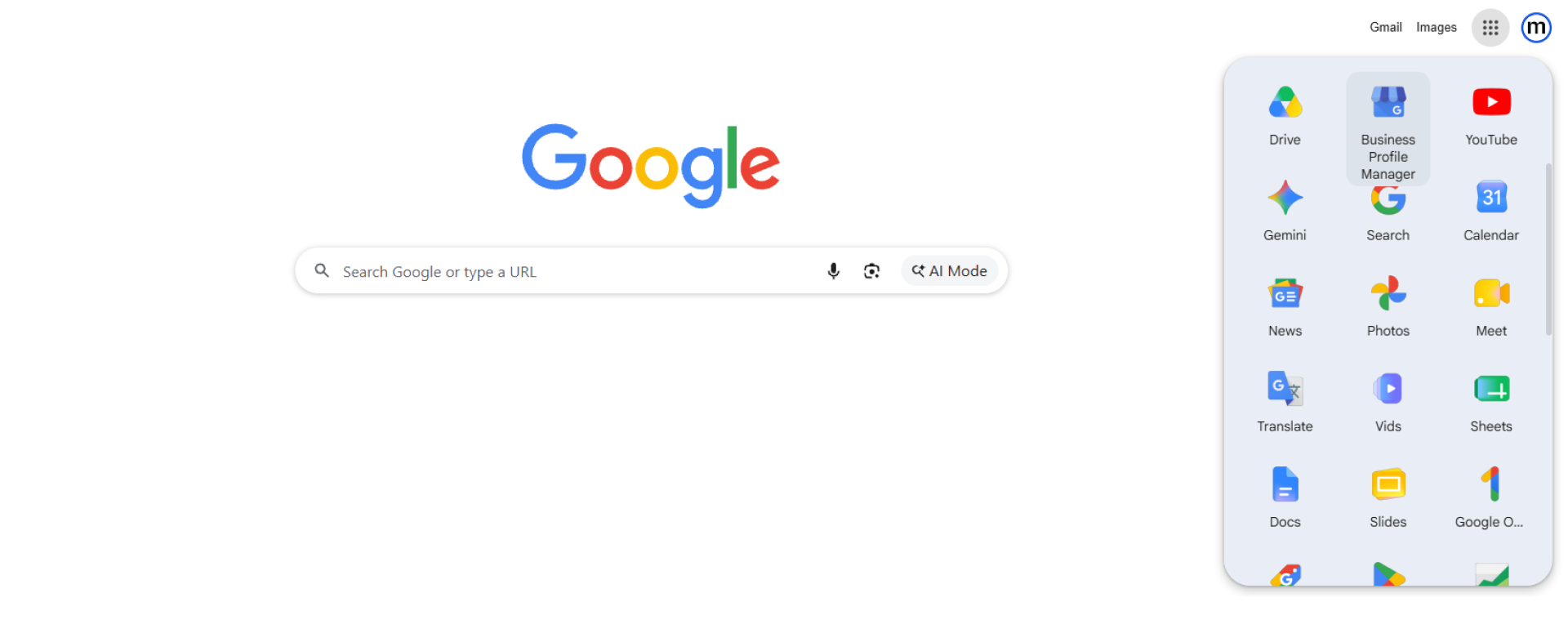
Open Google, sign in to the correct account, and click the Google apps icon in the top right corner.
In the list of apps, choose:
"Business Profile Manager"
If you do not see this option right away, scroll down the apps list or type the exact name "Google Business Profile" into Google and continue from step 3.
In the list of apps, choose:
"Business Profile Manager"
If you do not see this option right away, scroll down the apps list or type the exact name "Google Business Profile" into Google and continue from step 3.
2. Choose the correct business profile
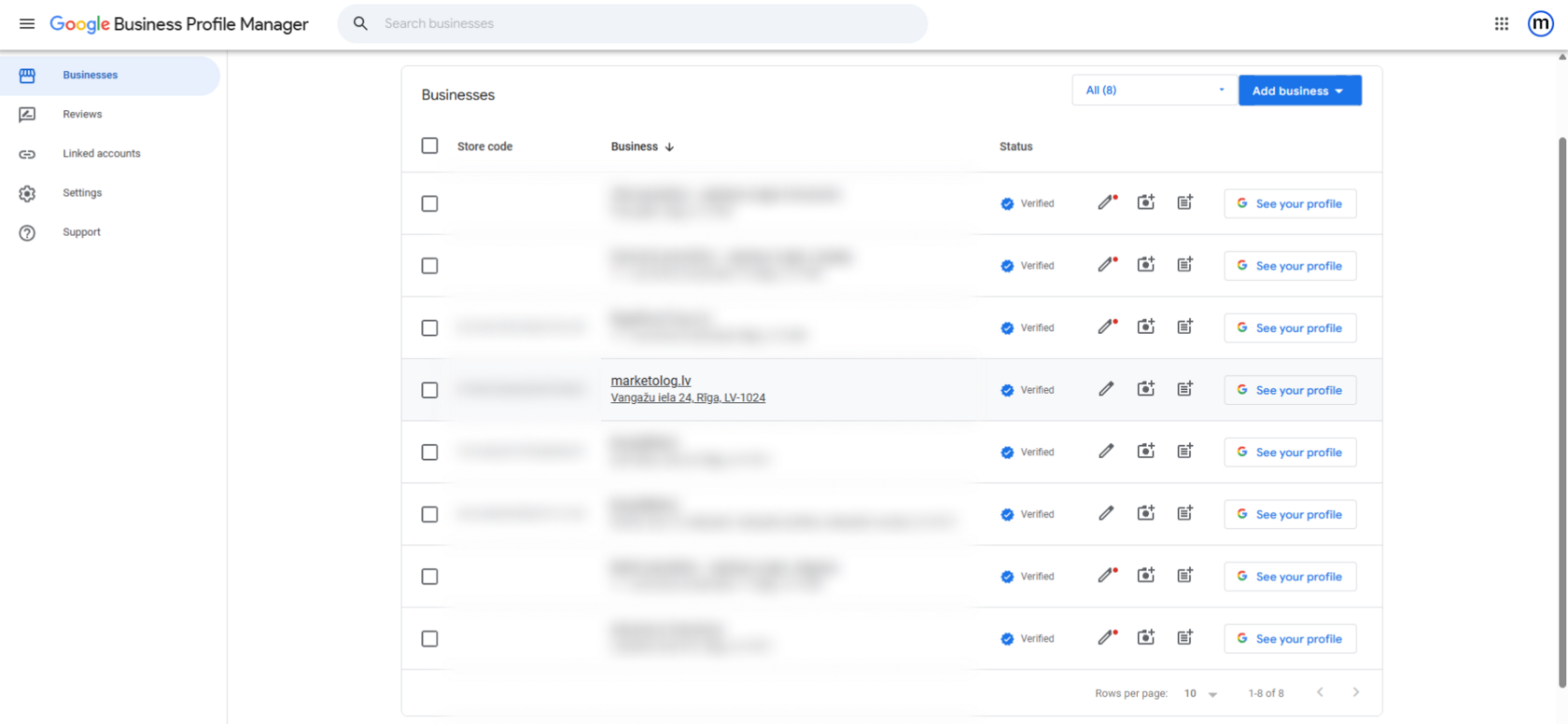
A list of your business profiles will open.
Find the correct company and open it.
If you have only one business profile, Google may open the management panel for this profile automatically.
Find the correct company and open it.
If you have only one business profile, Google may open the management panel for this profile automatically.
3. Open business profile settings
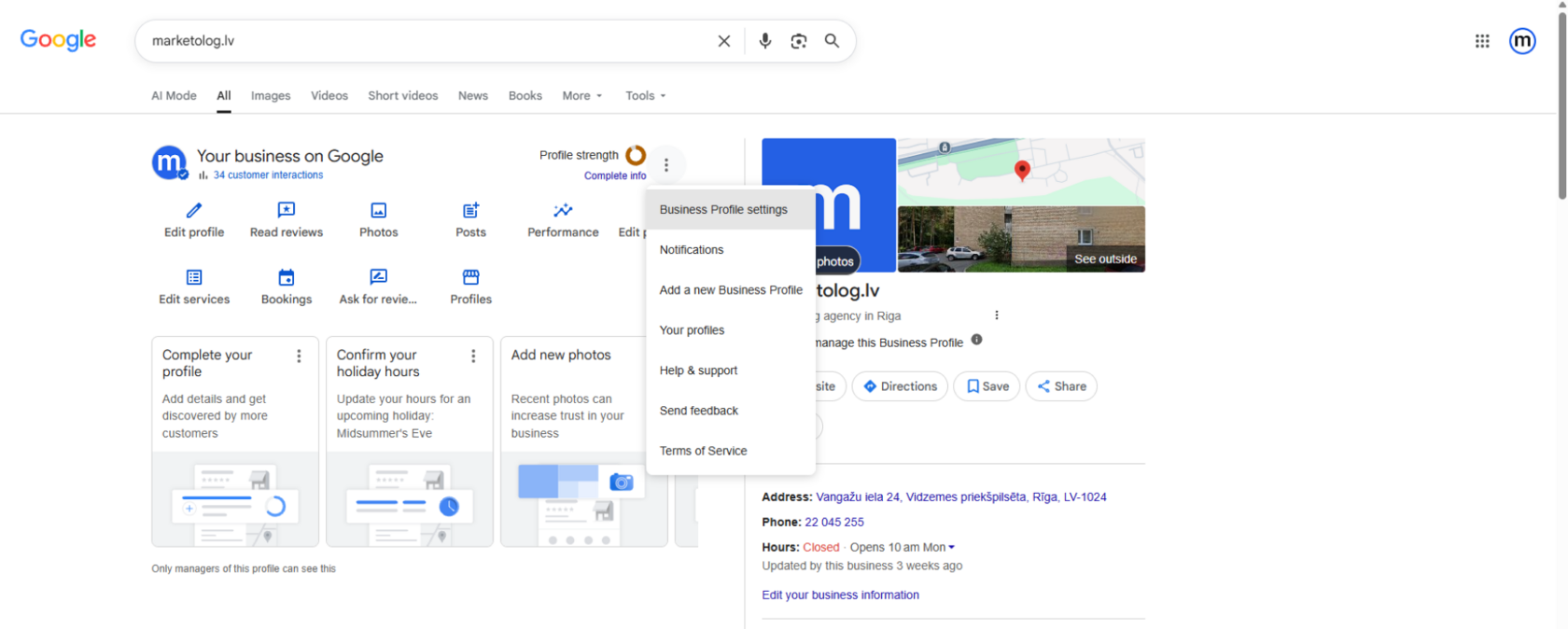
Click the three dots next to the management block and choose:
"Business Profile settings"
"Business Profile settings"
4. Go to "People and access"
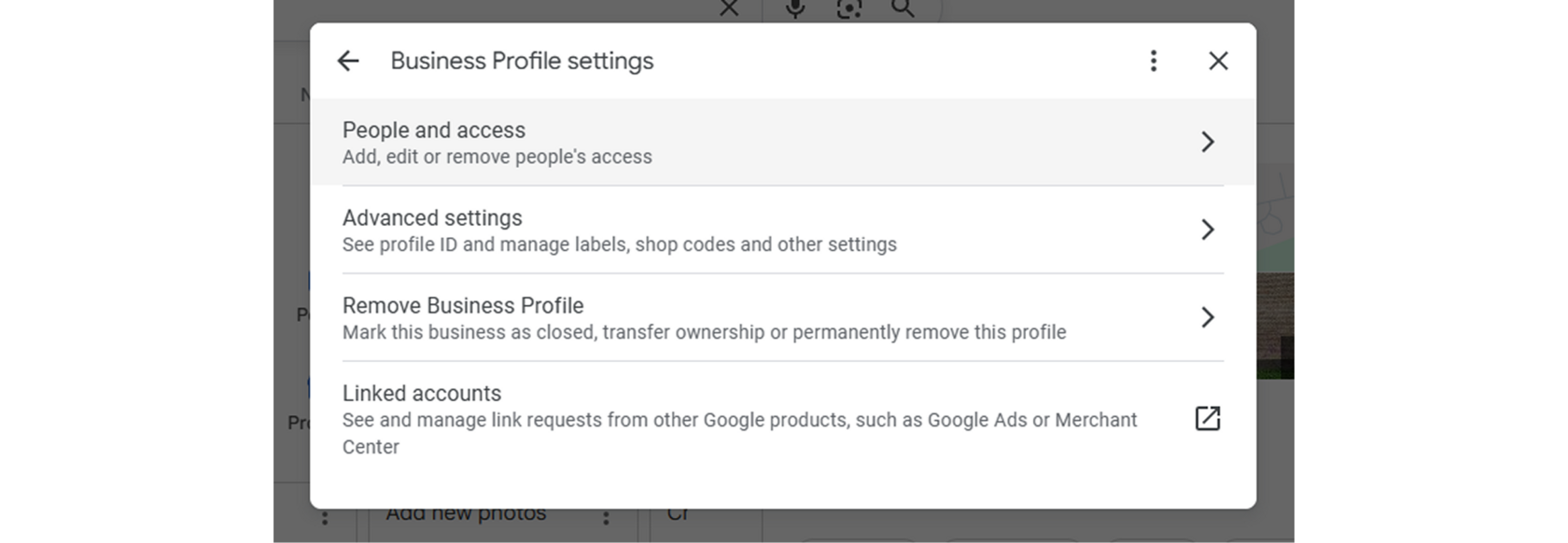
In the business profile settings, open the section:
"People and access"
In this section, you can add, change, and remove access to the business profile.
"People and access"
In this section, you can add, change, and remove access to the business profile.
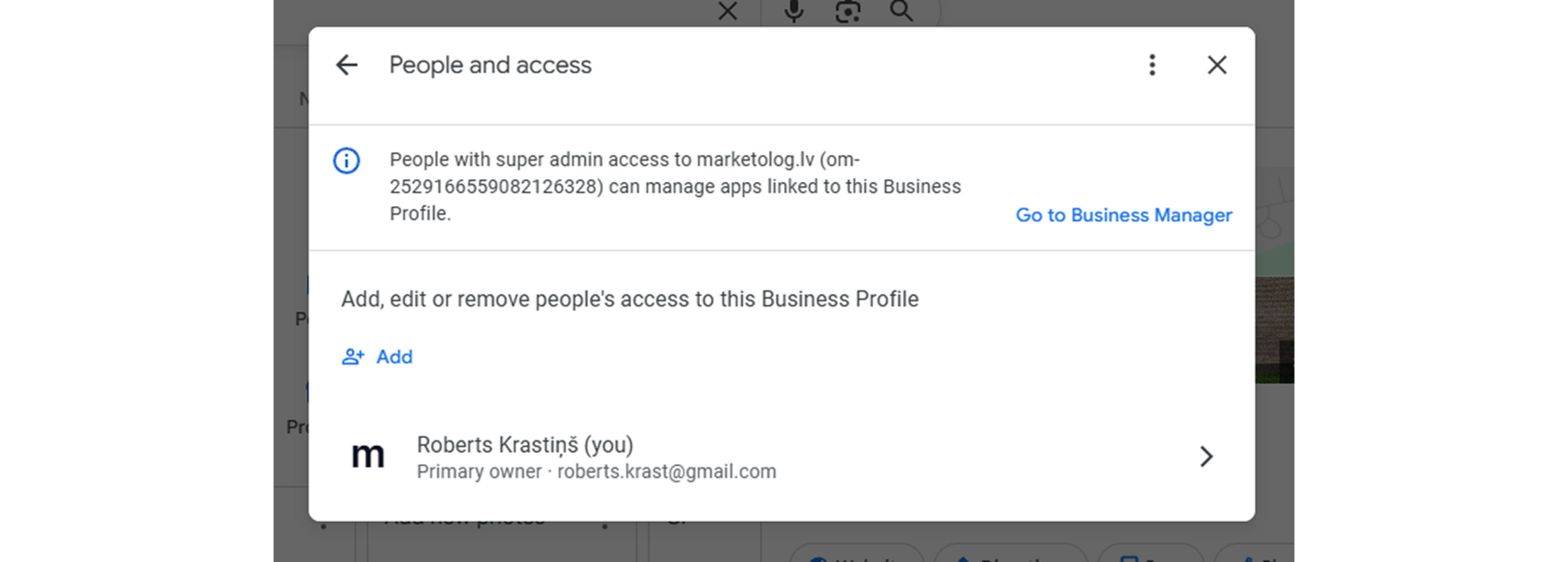
5. Click "Add"
In the "People and access" section, click:
"Add"
After that, a window for adding a new user will open.
"Add"
After that, a window for adding a new user will open.
6. Enter the email and choose the "Manager" role
Enter my email:
roberts.krast@gmail.com
roberts.krast@gmail.com
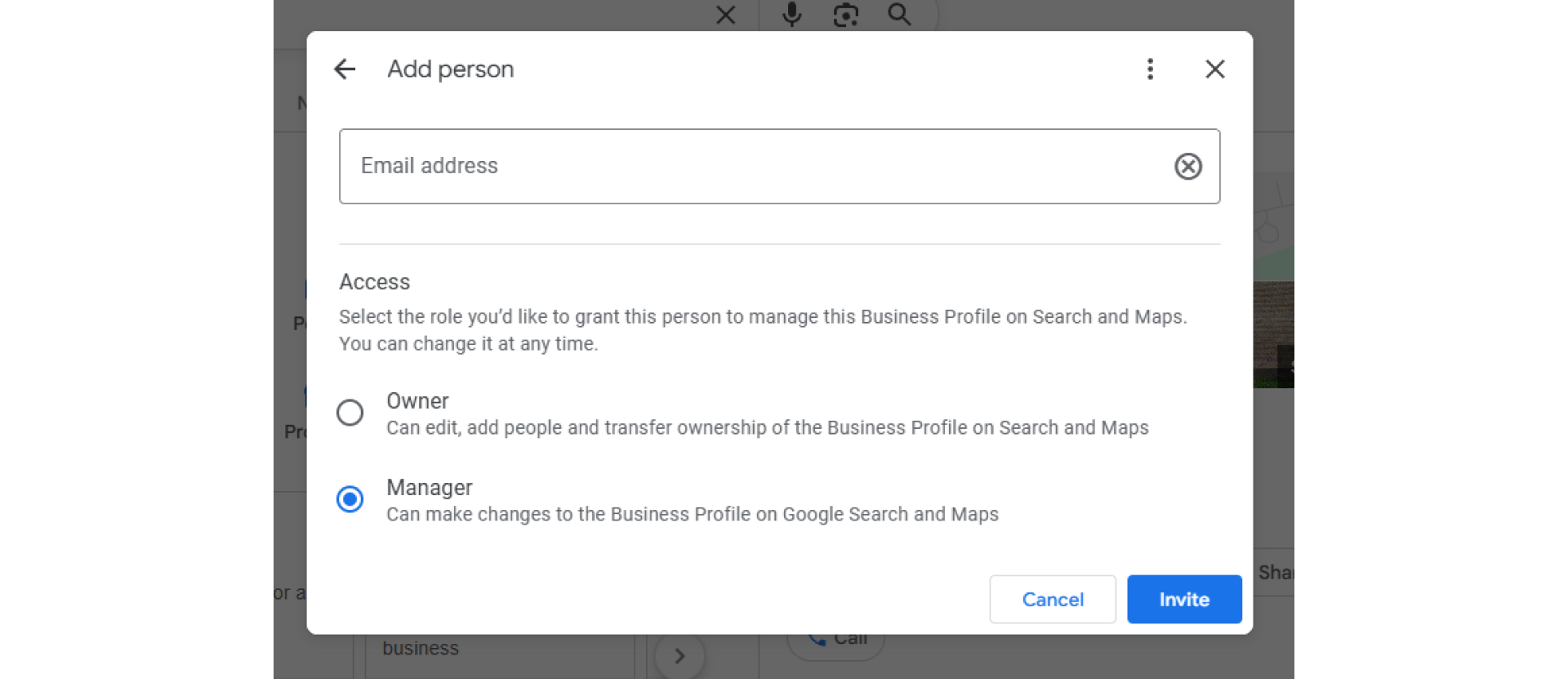
In the "Access" section, choose the role:
"Manager"
Do not choose "Owner" if you do not want to transfer owner rights.
The "Manager" role allows managing the business profile in Google Search and Google Maps, but it does not transfer ownership of the profile.
"Manager"
Do not choose "Owner" if you do not want to transfer owner rights.
The "Manager" role allows managing the business profile in Google Search and Google Maps, but it does not transfer ownership of the profile.
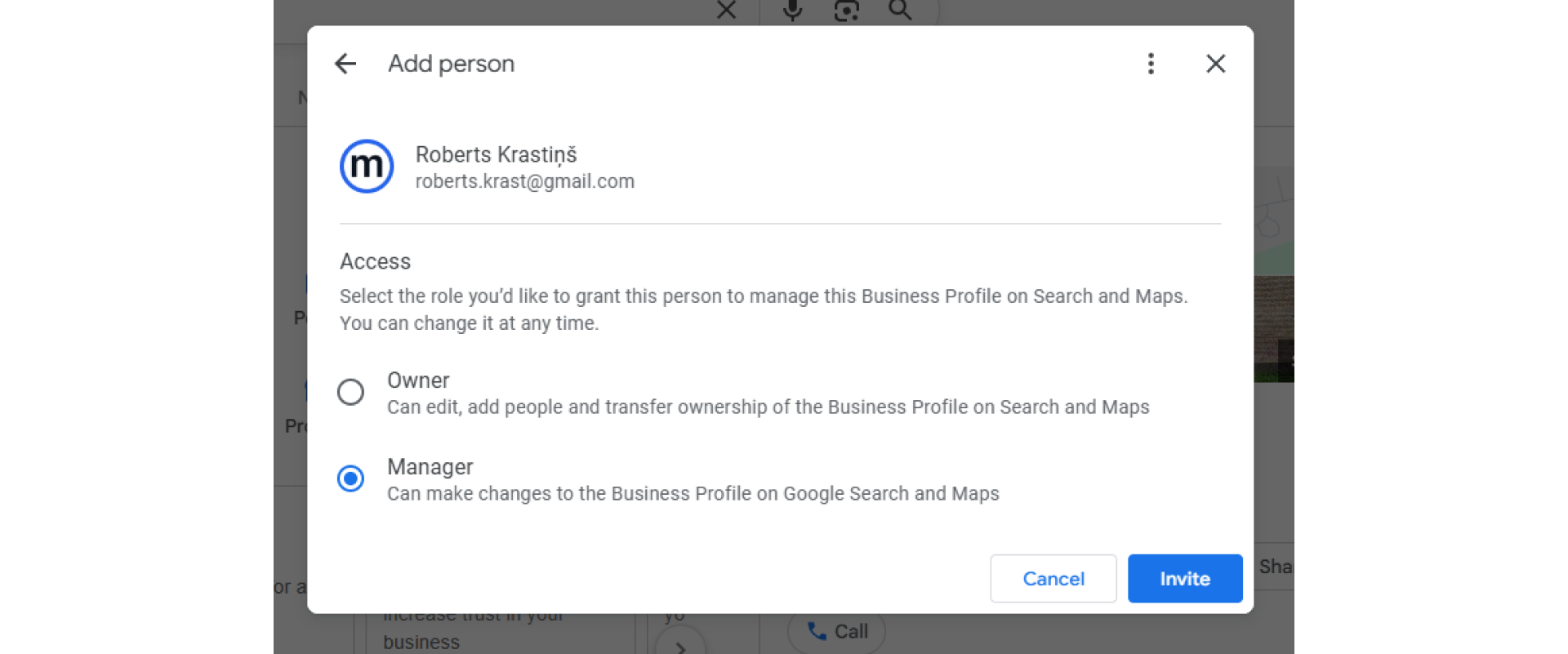
After that, click:
"Invite"
"Invite"
7. I will accept the invitation
After the invitation is sent, I will receive access to your Google Business Profile and will be able to start working.
In some cases, Google may ask you to additionally confirm the action in your account.
Important
I do not need your Google account password.
You simply add access through the official Google Business Profile mechanism.
It is better to grant the "Manager" role, not "Owner". This way, you keep ownership of the business profile.
How to remove access
Access can be removed at any time.
To do this, open:
"Business Profile settings" - "People and access"
Find the user whose access you want to remove, open their profile, and remove access.
After that, this person will no longer be able to manage your Google Business Profile.
To do this, open:
"Business Profile settings" - "People and access"
Find the user whose access you want to remove, open their profile, and remove access.
After that, this person will no longer be able to manage your Google Business Profile.